Bounce rate is a critical metric that can reveal whether visitors are engaging with your website or leaving too quickly. A high bounce rateoften signals underlying issues with user experience, content relevance, or audience targeting.
But it’s not all bad-understanding bounce rate in depth and learning how tooptimize it can significantly improve your website’s performance, leading to higher conversions and better rankings.
This in-depth guide covers everything you need to know about bounce rate, from its meaning and benchmarks to diagnosing issues and actionable strategies to reduce it. By the end, you’ll have all the tools to turn bounce rate challenges into growth opportunities.
What Is Bounce Rate?
Bounce rate is defined as the percentage of visitors who leave your website after viewing just one page, without clicking on links, navigating to other pages, or engaging further. It serves as an indicator of how well a page meets visitors’ expectations.
To understand bounce rate more clearly, watch this concise video explaining what it is, why it matters, and how to reduce it:
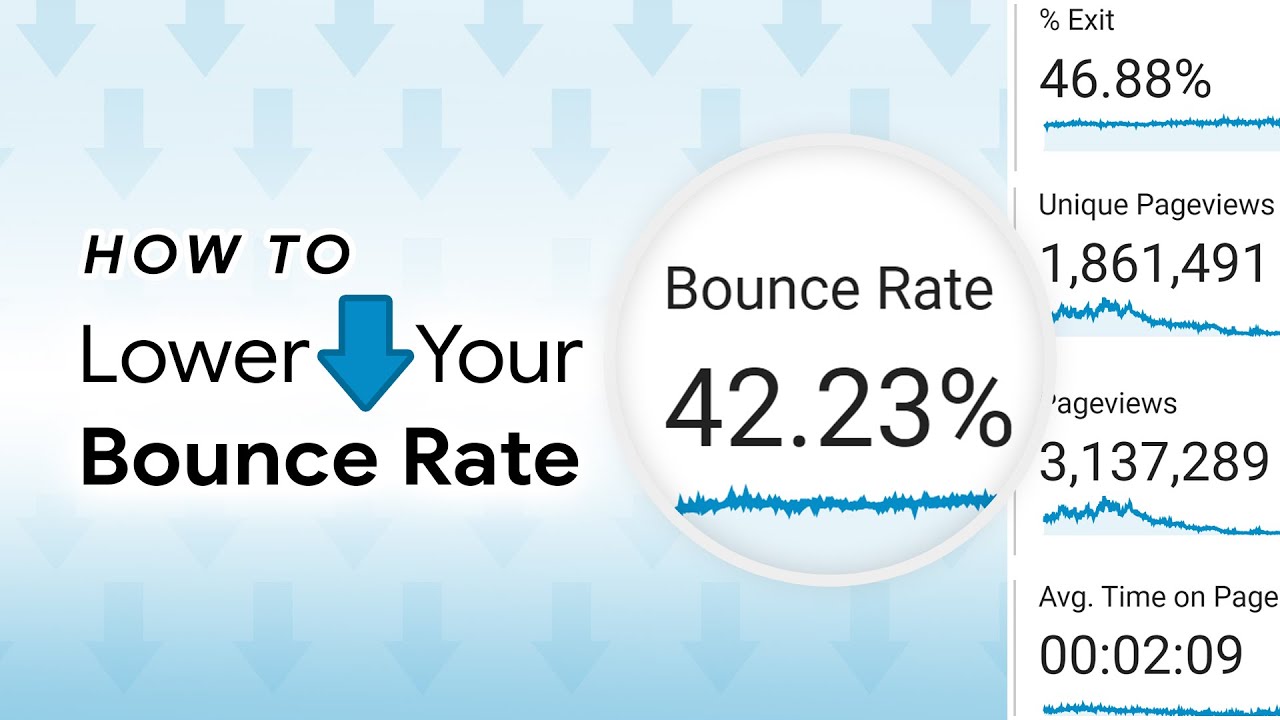
What is Bounce Rate, Why is it Important, and How Can You Lower It?
How Bounce Rate Is Calculated
Bounce rate is calculated using the following formula:
Bounce Rate = (Single-Page Sessions / Total Sessions) × 100
For example, if 1,000 visitors land on your website and 400 leave without any further action, your bounce rate is 40%. This simple metric reveals how effective your landing pages are in retaining visitors and encouraging deeper engagement.
Bounce Rate In GA4 Vs. Universal Analytics
While Universal Analytics (UA) measures bounce rate purely by non-interactive sessions, Google Analytics4 (GA4) uses a broader approach. In GA4, bounce rate is the inverse of engagement rateand considers:
- Sessions lasting more than 10 seconds.
- Conversion eventstriggered during the session.
- Multiple page views or screen views in the session.
This shift provides a more nuanced understanding of how users engage with your website.
Bounce Rate Vs. Exit Rate
Bounce rate is often confused with exit rate, but they measure different behaviors:
- Bounce Rate: Percentage of visitors who land on a page and leave without interacting further.
- Exit Rate: Percentage of visitors who leave from a specific page, even if they visited other pages beforehand.
For instance, if a visitor lands on a blog post and immediately leaves, that’s counted as a bounce. But if a visitor navigates through your website and exits from a contact page, it’s an exit-not a bounce.
Related: 23 Best Places To Promote Blog Posts And Boost Your Traffic
Why Is Bounce Rate Important?
Bounce rate provides insights into user behavior, website performance, and content relevance. A high bounce rate often indicates missed opportunities to engage visitors, which can negatively impact conversions and search rankings. Here’s why bounce rate matters:
1. It Impacts Conversions
Visitors who bounce from your website are lost opportunities for conversions, whether it’s a product purchase, newsletter signup, or lead capture. If the majority of your traffic bounces, it may signal poor alignment between your content and audience expectations.
2. It Affects SEO Rankings
While Google hasn’t officially confirmed bounce rate as a ranking factor, it is widely believed that a high bounce rate correlates with lower rankings. If users frequently leave your site, search engines may interpret this as a sign of irrelevant or low-quality content.
3. It Reflects User Engagement
Bounce rate serves as a snapshot of how well your website resonates with its audience. Pages with high bounce rates often suffer from poor UX, slow loading times, or unoptimized content.
Not All Bounces Are Bad
Not all bounces indicate failure. For example, a visitor searching for a recipe might leave your site after finding the exact instructions they need. Similarly, someone landing on a contact page might exit after copying the contact details. In such cases, a bounce could mean your page successfully fulfilled its purpose.
What Is A Good Bounce Rate?
A “good” bounce rate varies depending on the type of website, industry, and traffic source. Here are some benchmarks to guide your evaluation:
Industry Benchmarks
- Blogs: 65%–90%(higher due to single-page content consumption).
- E-commerce: 20%–47%(lower because users often browse multiple products).
- B2B Websites: ~56%.
- B2CWebsites: ~45%.
Traffic Source Impact
The source of your traffic significantly affects bounce rates:
- Lower Bounce Rates: Email campaigns and referral traffic, where users are more likely to engage.
- Higher Bounce Rates: Social mediaand display ads, which often attract less targeted traffic.
Device-Based Averages
Device usage also plays a role:
- Mobile: ~51% (higher due to screen size and interruptions).
- Desktop: ~43%.
- Tablet: ~45%.
Avoid Unrealistic Expectations
It’s important to remember that a 0% bounce rateis unrealistic and often indicates a tracking error. Instead, focus on reducing bounce rates to within industry norms while maintaining high-quality content.
Common Causes Of High Bounce Rates
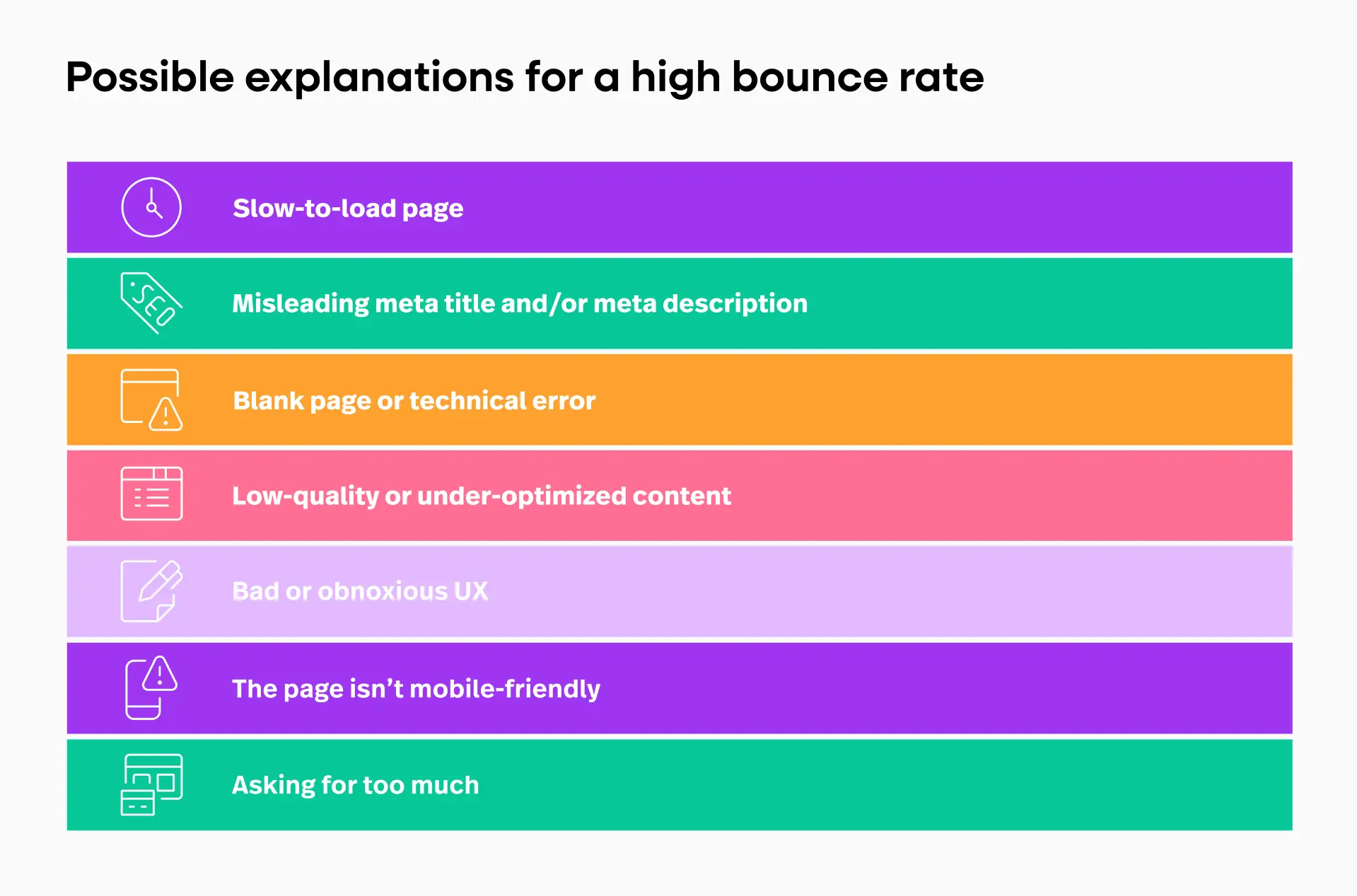
A high bounce rate can be caused by several factors, often related to user experience or content quality. Here are the most common culprits:
1. Misleading Metadata
Visitors often leave when the meta title or description fails to align with the content of the page. For example, an ad promising “Discount Laptops” that redirects to a generic homepage frustrates users and leads to bounces.
2. Slow Page Loading
Users expect pages to load in under 3 seconds. According to Google, pages with slow loading speeds often see bounce rates exceeding 70%.
3. Poor Design Or UX
Unintuitive navigation, cluttered layouts, or hard-to-read fonts can alienate users. Websites with intrusive pop-ups or auto-playing videos are particularly prone to high bounce rates.
4. Keyword-Content Mismatch
If your page ranks for irrelevant keywords, visitors may bounce immediately. For instance, a page optimized for "SEOcheckers" but featuring a blog post instead of tools will fail to meet user expectations.
5. Mobile Unfriendliness
With 57% of trafficcoming from mobile devices, websites that aren’t mobile-friendly risk frustrating users, resulting in higher bounce rates.
Diagnosing High Bounce Rates
Diagnosing why users are bouncing is the first step toward solving the problem. Here’s how to uncover the root causes:
1. Use Analytics Tools
Google Analytics (UA and GA4) allows you to track bounce rates across pages and traffic sources. Focus on pages with the highest bounce rates and segment by device, location, or source for deeper insights.
2. Leverage Heatmaps
Heatmap tools like CrazyEggand Hotjarreveal how users interact with your pages. Look for dead zones where users stop scrolling or fail to engage.
3. Source Analysis
Determine which traffic sources (e.g., organic, paid, social) contribute to high bounce rates. Paid ads often attract less qualified visitors who bounce quickly.
4. Evaluate Low-Performing Pages
Identify pages with unusually high bounce rates (“donkeys”) and compare them to high-performing pages (“unicorns”). Analyze differences in layout, content, or user flow.
15 Proven Strategies To Reduce High Bounce Rates
Reducing bounce rates requires a strategic approach. Here are proven strategies to retain visitors and encourage engagement:
1. Improve Page Loading Speed
Slow-loading pages are one of the most common reasons visitors leave. Optimize your page speed by:
- Compressing images using tools like Kraken.io.
- Enabling browser caching and using a Content Delivery Network (CDN).
- Reducing unnecessary JavaScript and CSS files. Use tools like Google PageSpeed Insightsto identify bottlenecks and monitor improvements.
2. Optimize Mobile Experience
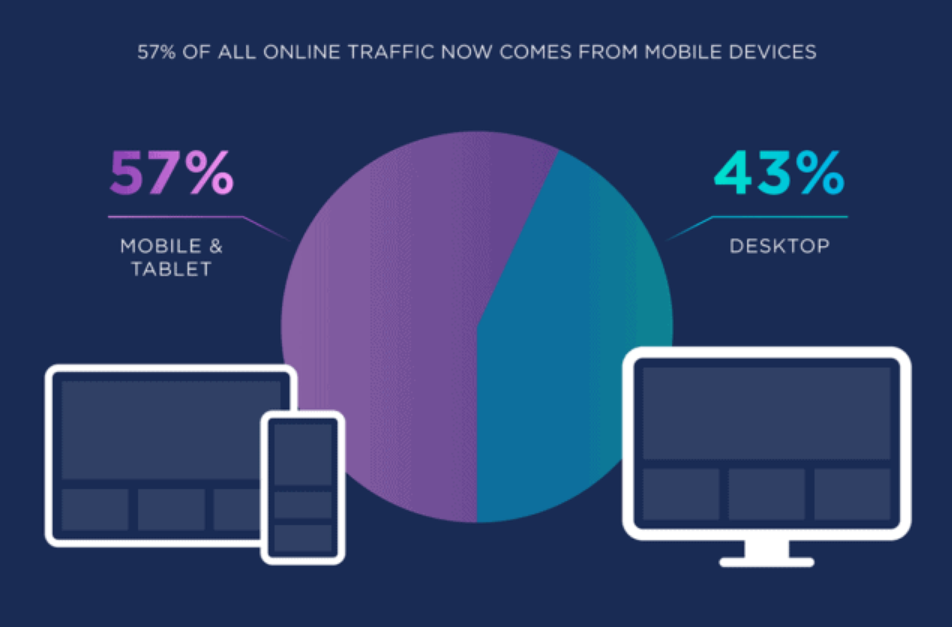
With over 57% of web traffic coming from mobile devices, having a mobile-optimized website is critical. To enhance mobile UX:
- Use tools like BrowserStackto test your site across devices and browsers.
- Implement responsive design to ensure your content adjusts seamlessly to all screen sizes.
- Avoid large images or elements that require excessive scrolling on mobile.
3. Align Content With Search Intent
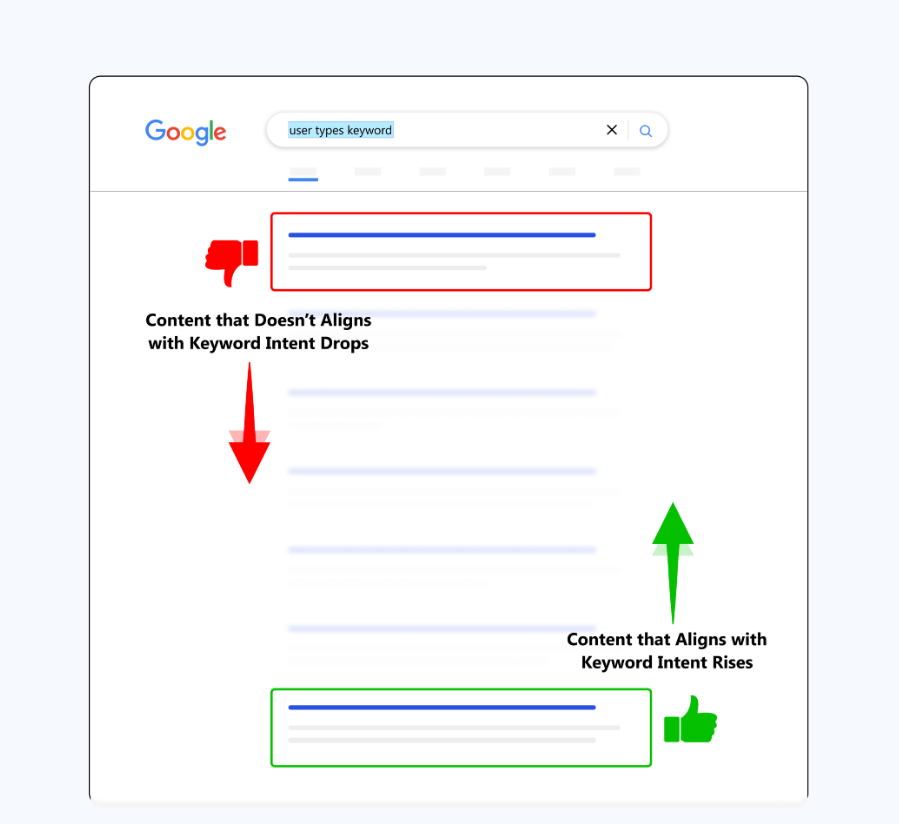
Visitors leave when your content doesn’t match what they’re looking for. To prevent this:
- Conduct keyword research to ensure your content aligns with searcher intent.
- Tailor content for informational, transactional, or navigational keywords. For example, someone searching “Best SEOTools” expects a detailed list, not a general article about SEO.
4. Use Internal Links Strategically
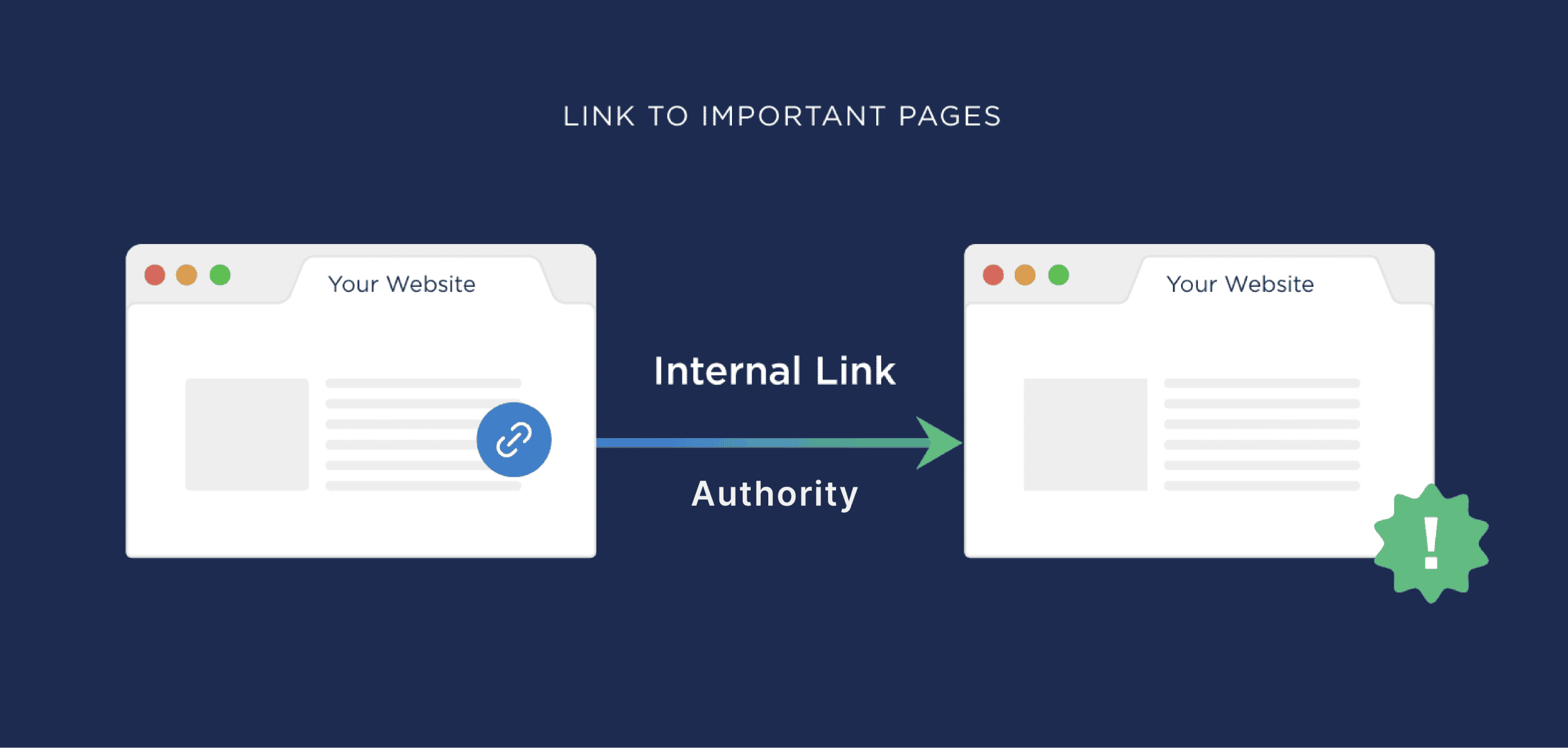
Guide visitors to explore other pages by placing internal links naturally within your content. For instance:
- Link to related guides or articles within the body text.
- Use anchor text that clearly communicates the value of the linked page.
See Also: 12 Proven Tips To Index Links Quickly For SEO Success
5. Add Related Posts Sections
Adding a “Related Posts”section at the end of blog articles encourages readers to continue exploring your site. For example:
- Show recommendations based on the current post's category.
- Highlight trending or most-read posts to capture interest.
6. Enhance Design And UX
A visually appealing and user-friendly website encourages visitors to stay. Focus on:
- Clear navigation menus.
- Consistent brandingand clean layouts.
- Avoiding intrusive elements like auto-playing videos or excessive pop-ups.
7. Embed Engaging Videos
Videos are a powerful way to capture attention and keep users engaged. According to research, pages with videos see 11% lower bounce rateson average. To maximize effectiveness:
- Embed short, informative videos relevant to the content.
- Ensure videos load quickly and are mobile-optimized.
8. Create Compelling CTAs
A strong call-to-action (CTA) motivates visitors to take the next step. Examples include:
- “Start Your Free Trial Today.”
- “Learn More About Our Services.”
- “Download Your Free Checklist.” Place CTAs strategically within your content or in prominent positions like headers, sidebars, or at the end of articles.
9. Exit-Intent Popups
Exit-intent popups are triggered when a visitor is about to leave your page. Unlike intrusive popups, these appear at the last moment, giving you one final chance to engage. Use them to:
- Offer discounts for e-commerce sites.
- Promote content upgrades like eBooks or guides.
- Capture email addresses for your newsletter.
10. Use Bucket Brigades
Bucket brigades are conversational phrases that grab attention and keep readers engaged. Examples include:
- “Here’s the deal:”
- “Quick story…”
- “But wait—there’s more.” Incorporate these phrases at natural breakpoints in your content to maintain reader interest and encourage scrolling.
11. Content Upgrades
Offer downloadable resources directly related to your content. For example:
- Include a checklist or PDF version of a blog post.
- Provide a free template or tool based on the topic. Content upgrades add value while keeping visitors engaged and less likely to bounce.
12. Create Tables Of Contents
For long-form content, a clickable table of contents helps visitors navigate directly to the sections they care about. This improves the user experience and encourages engagement. Use jumplinksto allow readers to jump to specific subsections easily.
13. Regularly Update Content
Outdated content can drive visitors away. Keep your articles fresh and relevant by:
- Updating stats and links annually.
- Adding new sections or insights to existing posts.
- Republishing updated content with a current date for better SEO.
14. Showcase Credibility
Visitors are more likely to stay on a site they trust. Build credibility by:
- Adding customer testimonials and case studies.
- Displaying trust badges, certifications, or awards.
- Including social proof, such as user reviews or success stories.
15. Use Heatmap Data To Improve Pages
Heatmaps reveal how visitors interact with your site, showing areas where they click, scroll, or drop off. Use tools like Hotjaror CrazyEggto:
- Identify dead zones or areas with low engagement.
- Optimize button placements or remove unnecessary distractions.
- Test changes to see how they impact user behavior.
FAQs About Bounce Rate
What Is The Difference Between Bounce Rate And Exit Rate?
Bounce rate measures the percentage of visitors who land on a page and leave without interacting further. Exit rate, on the other hand, tracks the percentage of visitors who leave from a specific page, regardless of whether they interacted with other pages on the site.
What Is A Good Bounce Rate?
A good bounce rate depends on the type of website. For example:
- Blogs: 65%–90% (due to single-page content consumption).
- E-commerce: 20%–47% (as users browse products).
- B2B Websites: ~56%.
- B2C Websites: ~45%.
Generally, a bounce rate below 40% is considered excellent, while anything over 70% often requires improvement.
Can A High Bounce Rate Ever Be Good?
Yes, in some cases. For example:
A visitor who finds exactly what they need, such as a recipe or contact details, might leave after a single-page visit. This bounce indicates the page met their needs effectively.
Does Bounce Rate Affect SEO?
While Google hasn’t confirmed bounce rate as a direct ranking factor, a high bounce rate often correlates with poor engagement, which can harm SEO. Pages with high bounce rates may indicate irrelevance to search intent, negatively impacting rankings.
Can I Achieve A 0% Bounce Rate?
A 0% bounce rate is unrealistic and likely indicates tracking issues. Instead of aiming for perfection, focus on maintaining bounce rates within your industry’s benchmarks while delivering high-quality, engaging content.
Conclusion
Bounce rate is a powerful metric that reveals much about your website’s performance and user experience. By identifying its causes and implementing these proven strategies, you can reduce bounce rates, improve engagement, and drive higher conversions. Start analyzing your site today, and take the first step toward turning visitors into loyal customers.
See Also: 15 Link Building Strategies In 2024 For Effective SEO